The Mentimeter Tool
At VidéPro, we're huge fans of using the online presentation and polling tool Mentimeter at events such as conferences, training sessions, and other gatherings. These can be in-person, hybrid, or livestream events.
Video production by VidéPro
Based in Lelystad, VidéPro creates professional video for businesses, organisations and artists — from corporate films and livestreams to social content and music videos.
At VidéPro, we're huge fans of using the online presentation and polling tool Mentimeter at events such as conferences, training sessions, and other gatherings. These can be in-person, hybrid, or livestream events.
Mentimeter is an online tool that allows viewers, participants, or attendees to actively engage with events. It also provides our clients who use it with valuable insights, as they receive a report after the event containing all the data collected.
How does Mentimeter work?
Mentimeter is set up by us ahead of the event, in consultation with the client. We determine when during the event Mentimeter will be used — for example, to gather opinions or test knowledge on a particular topic — and incorporate those moments into our run of show. By default, we use our own house style (dark blue background), though for an additional fee it can also be produced in the client's own branding.
Participants can join via their own device (phone, laptop, or tablet) and share their views during the event. The tool can also be used to test participants' knowledge. No personal account is required, so all responses are anonymous.
The results of each question can be displayed on a screen in the room or on screen during the livestream. The tool offers a wide range of features, and we've highlighted a few of the ones we use most regularly below.
Mentimeter features
1. Polling / voting
Asking participants to vote on a proposal or idea genuinely drives engagement and active participation at an event. Mentimeter offers a wide variety of options for creating an interactive poll.
2. Q&A
This gives every participant the opportunity to submit their own question during the event. Because it can be done anonymously, participants are far more likely to use it. Although there's no such thing as a silly question, attendees sometimes hold back because they don't feel comfortable asking in front of others. This format gives them a safe way to do so. It tends to work particularly well for smaller-scale events. After the event, the client can also use the report to compile and distribute a Q&A document, making the information available to a wider audience.
3. Quiz
A quiz element often boosts the energy at an event and is an excellent way to gauge what participants know about a given topic. There are various templates available to create an engaging and varied quiz.
4. Word Clouds
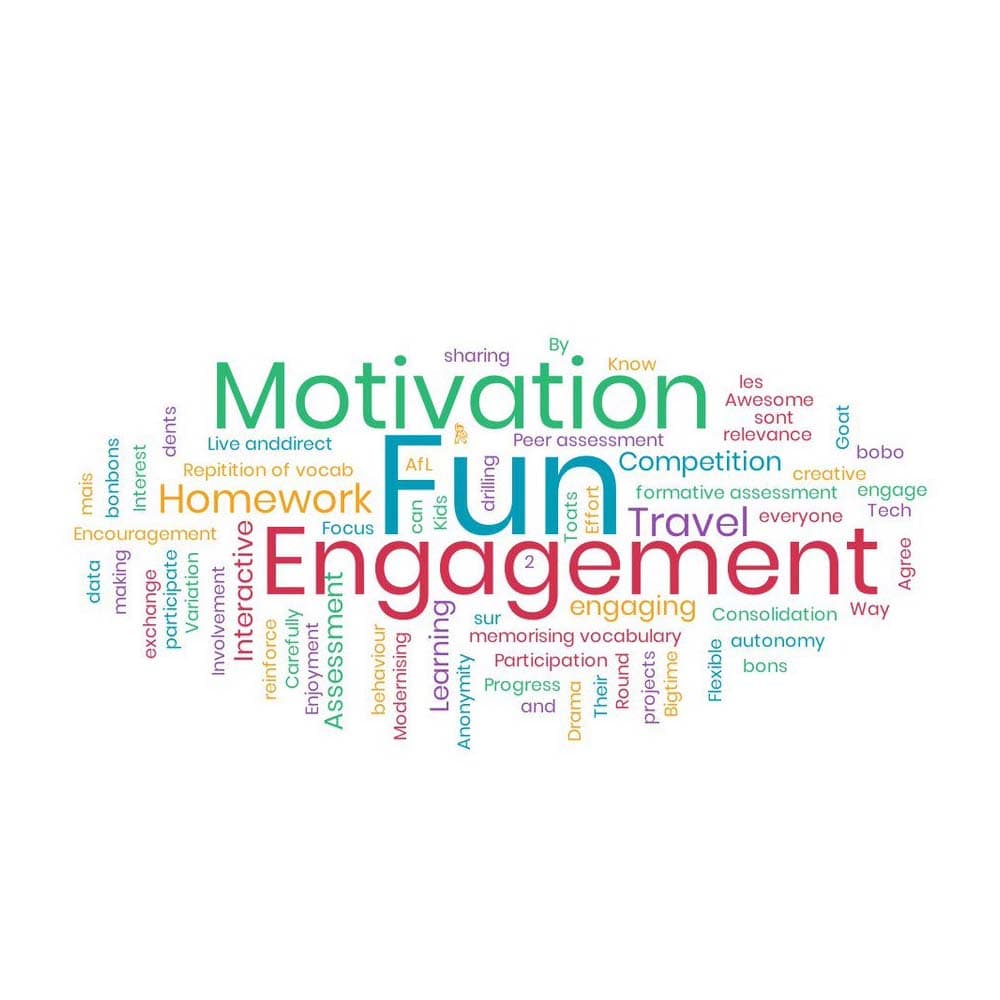
Word Clouds display a collage of the words that appear most frequently or are used most often in response to an open question. The larger a word appears, the more significant it is — essentially a visual summary of what viewers find important, and a great thing to show on screen.
